
Every WhatsApp account you use, in one Mac app
IsolaDesk keeps each of your WhatsApp numbers open in its own isolated workspace, side by side. Here’s everything it does, and what it deliberately doesn’t.
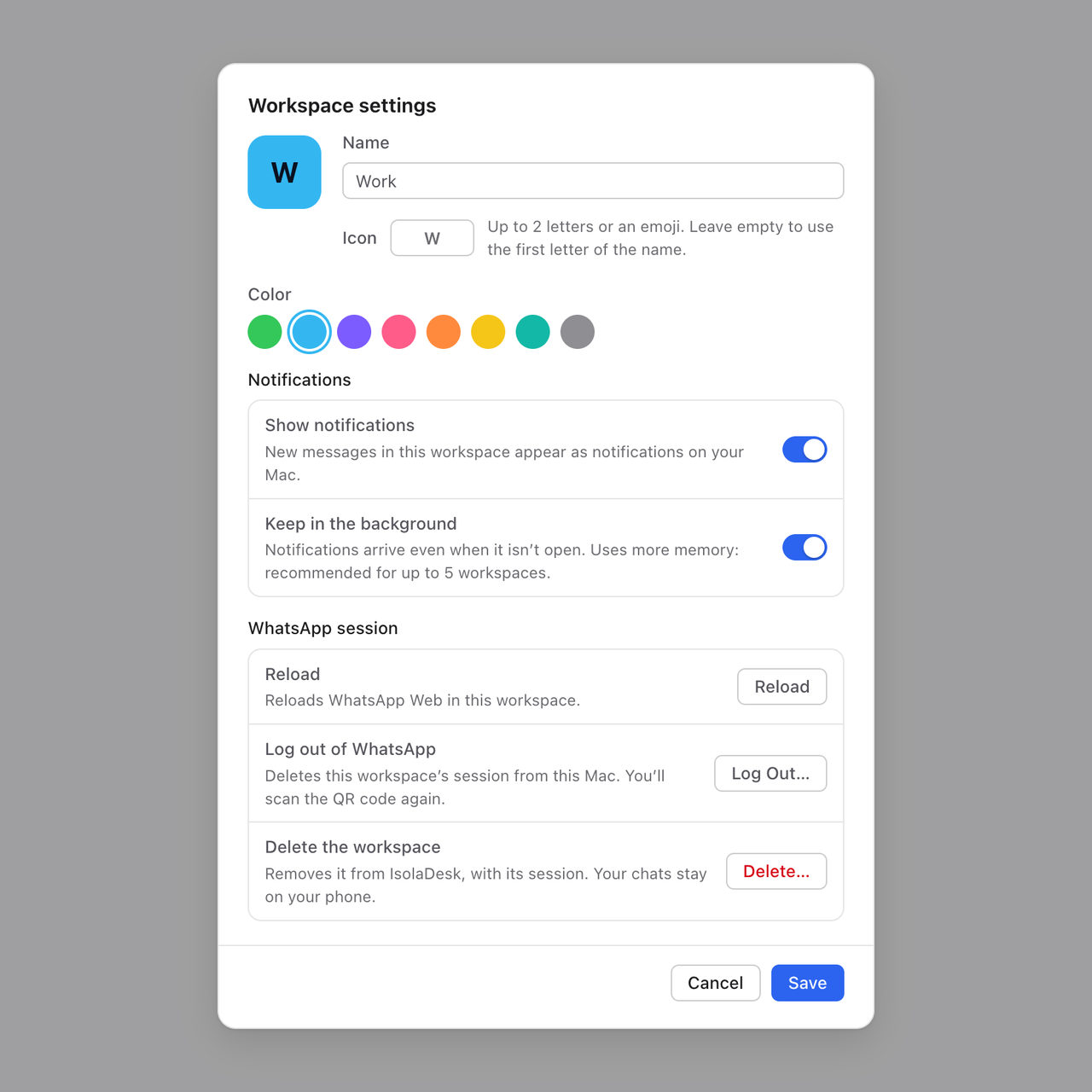
One workspace per number, sealed off from the others
Each WhatsApp account opens in its own workspace, with its own login, cookies and storage. Accounts never share data, never mix up and never log each other out.
- Up to 50 workspaces: personal numbers, business numbers, one per client or shop
- A name, one of eight colors and an icon (two letters or an emoji) for each, with its own notification setting
- Works with accounts from the WhatsApp and WhatsApp Business apps
- Log out, reload or delete one workspace without touching the others
- Your phone stays the main device for each number
See every account at a glance
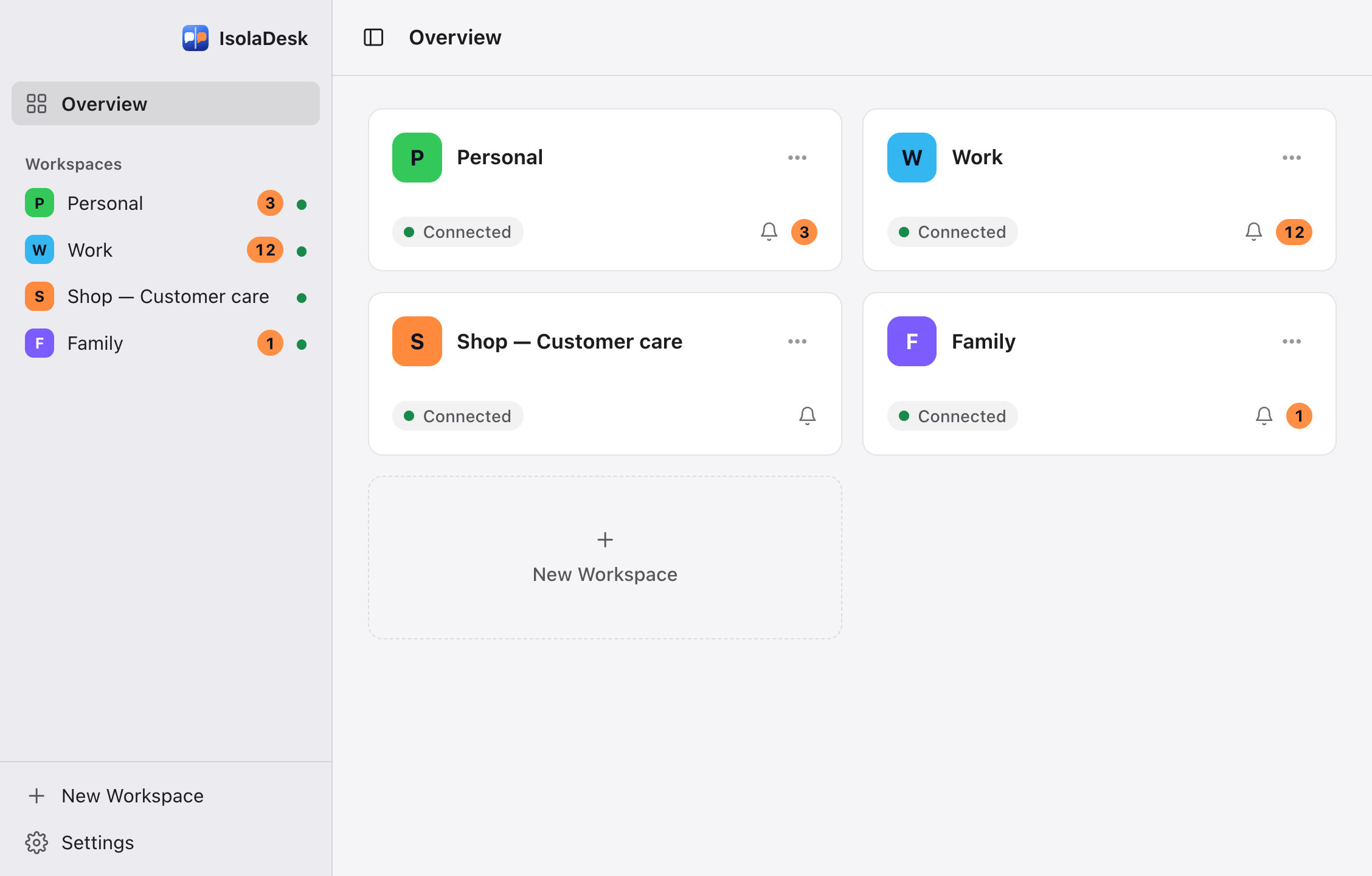
The Overview shows a card for each workspace with its status and unread count. The sidebar lists them all, so switching numbers takes one click or one shortcut.
- Unread badges in the sidebar, on the Overview and on the Dock icon
- A clear status for each workspace: connected, waiting for its QR code, offline
- ⌘1–⌘9 to jump to a workspace, ⌘0 for the Overview, ⇧⌘] and ⇧⌘[ for the next or previous one
- Drag workspaces into the order you like
Never miss a message on any number
Keep the workspaces that matter running in the background: their notifications arrive even when you haven’t opened them. You decide how much each notification shows.
- The first 5 workspaces are kept in the background by default; change it for each one
- macOS notifications, with or without sound
- Message previews on or off, and always hidden while IsolaDesk is locked
- Total unread count on the Dock icon, if you want it

Lock IsolaDesk when you step away
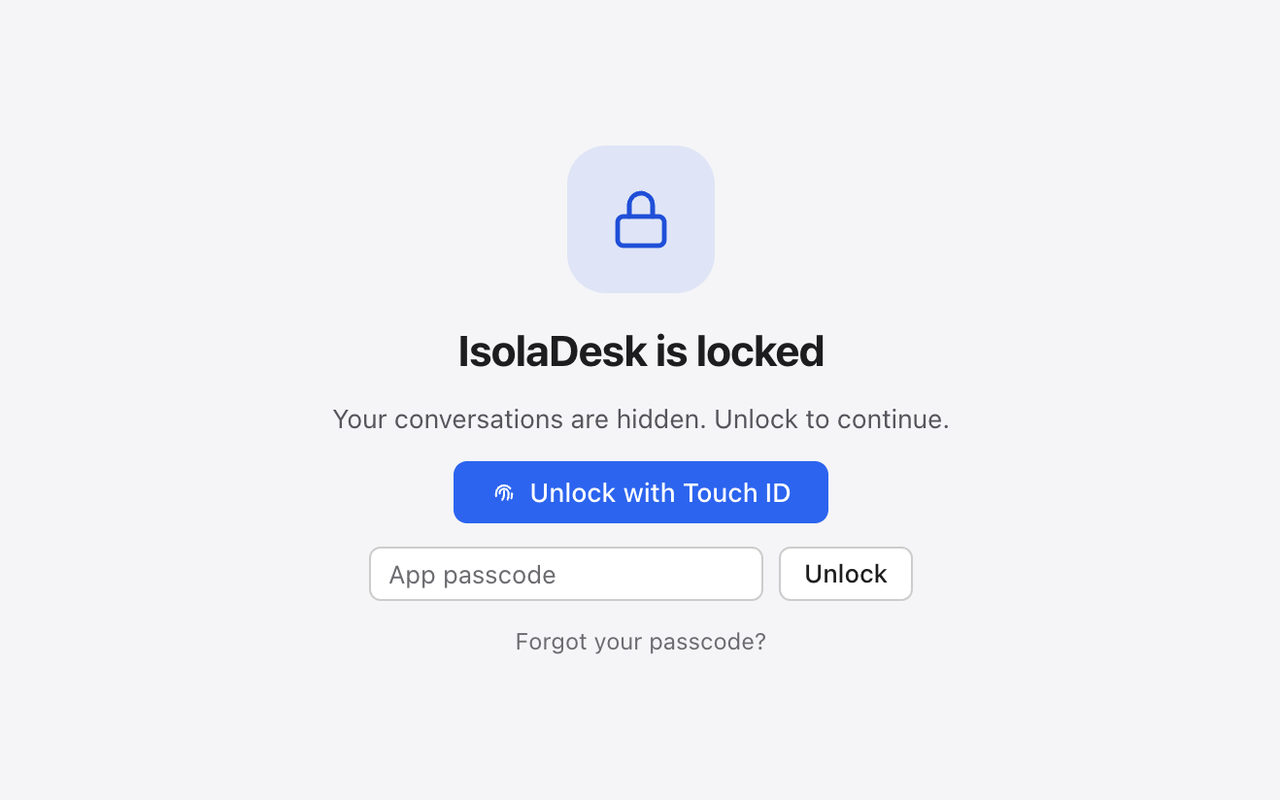
Protect every workspace at once with Touch ID or an app passcode. IsolaDesk can lock itself when your Mac is idle, goes to sleep or locks its screen.
- Touch ID, or your app passcode whenever Touch ID isn’t available
- Automatic lock after 1 to 60 minutes of inactivity, or when your Mac sleeps or locks its screen
- Starts locked when a lock option is on; nothing can be changed while it’s locked
- Passcode stored as a secure hash in your macOS Keychain
The lock hides your workspaces; it doesn’t encrypt files. For that, turn on FileVault in macOS. How the lock works
A real Mac app, not another browser tab
IsolaDesk lives in your Dock and menu bar, follows your Mac’s light or dark appearance and speaks English and French.
Apple Silicon and Intel
A native build for each kind of Mac, on macOS 12 Monterey or later.
Dock and menu bar
Show IsolaDesk in the Dock, in the menu bar or both, open it at login and even start it hidden.
Keyboard first
Shortcuts for every workspace, the Overview, the sidebar and the lock, all listed in Help › Keyboard Shortcuts (⌘/), plus zoom per workspace with ⌘+ and ⌘−.
Export and import
Move your workspace list to another Mac: names, icons, colors and settings only, never your chats or logins.
English and French
The whole app, its emails and this website in both languages. IsolaDesk follows your Mac’s language, or the one you choose.
Log out of all
Leaving a shared Mac? Log every workspace out of WhatsApp in one go. Names and colors are kept.
Your subscription, clear inside the app
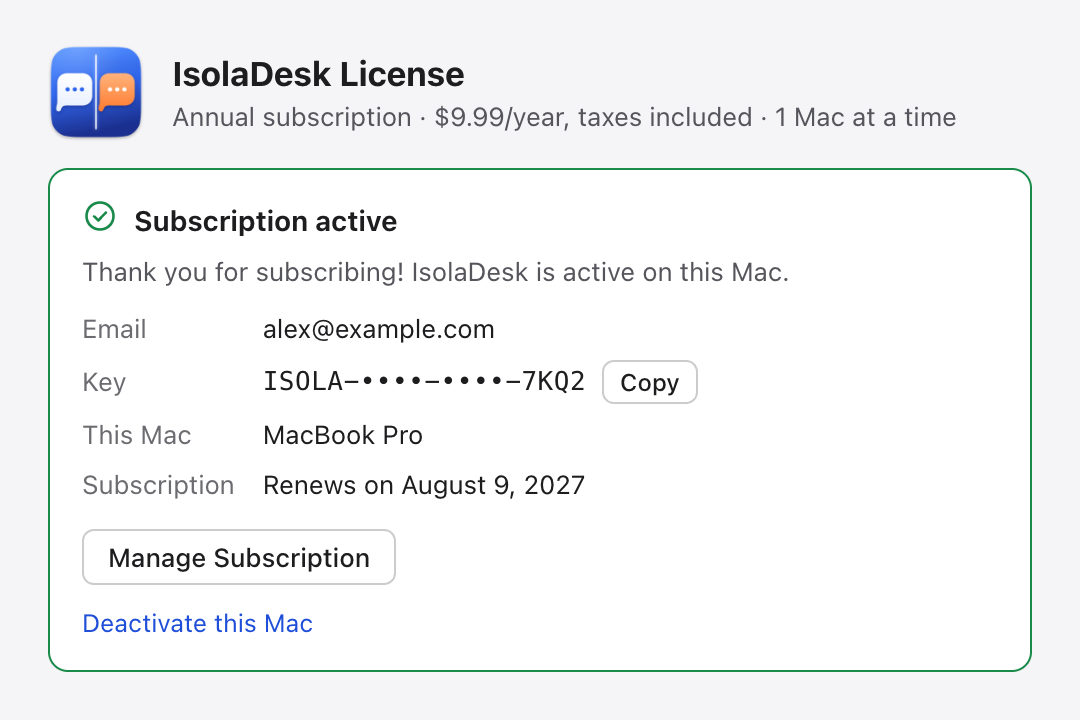
The License window shows where you stand: trial days left, renewal date, or what to do if a payment fails. No account to create, no password to remember: just a license key.
- 14-day free trial with every feature, no card needed
- Then $9.99/year, taxes included, for 1 Mac at a time
- Manage Subscription opens Stripe’s portal to update your card, get invoices or cancel
- New Mac? Deactivate the old one, or choose Move License to This Mac after Migration Assistant
- Your license is checked offline at launch and refreshed in the background when you’re online
Your messages never touch our servers
Each workspace connects directly to WhatsApp Web. There’s no IsolaDesk account, no analytics and no advertising. Our license server only learns what a license needs.
 IsolaDesk on your Mac
What IsolaDesk doesn’t do
We’d rather tell you now than after you’ve paid.
No automation, no bulk messaging
IsolaDesk displays the regular WhatsApp Web. It never sends messages for you and has no chatbot, broadcast tool or shared team inbox. WhatsApp’s terms apply to every account.
Your phone is still needed
Each number needs WhatsApp on a phone to link it, like any linked device. WhatsApp logs out linked devices if the phone stays offline for about 14 days.
Mac only
IsolaDesk runs on macOS 12 Monterey or later. There’s no Windows, iPhone or Android version, and one subscription covers one Mac at a time.
Updates are installed by you
IsolaDesk tells you when a new version is out; you download it and replace the app. It isn’t notarized by Apple yet, so macOS asks you to allow it once.
Comparing options? See how IsolaDesk compares with all-in-one messaging apps and WhatsApp’s own apps, or who uses IsolaDesk.
Try it free for 14 days
Every feature, no card, no account. If IsolaDesk fits your day, keep it for $9.99/year, with taxes and every update included.